Build a Stunning Graphic Design Portfolio That Wins Clients
Every creative professional hits that moment where their work deserves a better stage. You have the projects, the experience, and the talent, but presenting it all in a cohesive, compelling way can feel like a separate job entirely. A well-structured graphic design portfolio isn't just a collection of images; it's the narrative of your professional capability. It’s the difference between a potential client scrolling past and stopping to learn more. The right template acts as your silent partner, handling the heavy lifting of layout and structure so you can focus on what matters: your work.
The Anatomy of an Effective Design Portfolio
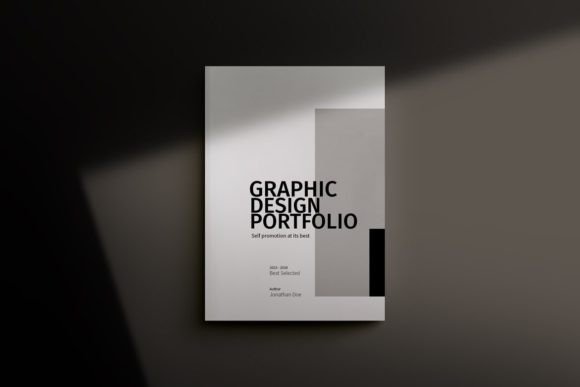
A portfolio template like this 68-page minimal brochure is built on a foundation of practical design principles. The clean layout and A5 paper size create an intimate, focused viewing experience—perfect for both print and digital screens. The minimal style isn't about being boring; it's about strategic restraint. By using ample white space and a simple color palette, your projects become the undeniable hero. The personality of the template is one of quiet confidence and professionalism, allowing the character of your own work to define the overall aesthetic.
This isn't just a document; it's a versatile design asset. The visual appeal lies in its adaptability. Whether your work is vibrant and bold or subtle and refined, the template's neutral framework supports it. The automatic page numbering and print-ready setup with bleed are subtle details that signal to clients and printers that you understand the technical side of design, building trust before they even read your project descriptions.
More Than a PDF: Strategic Applications
While "portfolio" is in the name, thinking of this template as just a career showcase limits its value. Its core strength is presenting images front and center, which opens up a world of practical uses for entrepreneurs and creatives alike.
- For Product-Based Businesses: Transform it into a sleek product catalogue or lookbook. The structured pages are ideal for showcasing your merchandise with consistent pricing, descriptions, and multiple angles.
- For Service Providers: An interior designer, photographer, or marketing agency can use it as a case study booklet. Walk potential clients through a project from brief to final result, demonstrating your process and impact.
- For Personal Branding: Create a polished media kit or a comprehensive overview of your services. It’s a tangible leave-behind after a pitch meeting that feels more substantial than a business card.
- For Digital Distribution: Use it as a professional online PDF on your website or as a high-value email attachment for qualified leads. It’s far more engaging than a simple image gallery.
The key is to see the structure not as a constraint, but as a guide that helps you tell a clearer, more persuasive story about what you offer.
Practical Guidance for Making It Your Own
Adopting a template is a starting point, not the finish line. To create a graphic design portfolio that feels authentically yours, focus on these practical steps.
Evaluate the Fit: Before you dive in, skim through the PDF preview. Does the pacing feel right for your content? If you have 10 major projects, 68 pages give you room to breathe. If you have 3 in-depth case studies, you can condense the template significantly. The two-column and full-page layout options provide the flexibility needed for different types of content.
Customize with Purpose: The template's CMYK color profile is ready for professional printing, but changing the accent colors to align with your brand identity is a powerful first step. Because all colors are editable in one location within Adobe InDesign, maintaining consistency is simple. Use the provided free font links or substitute with your own brand typeface to further personalize the look.
Test Your Content: Don't just drop in your best images. Test the layout with a mix of landscape, portrait, and square photos to see how the grid handles them. Write your project descriptions and check for readability against the background. The separate layers for images, text, and backgrounds in the InDesign file make this experimentation non-destructive.
Ultimately, the most successful portfolios are those where the template recedes, and the work speaks. This 68-page structure provides the professional, organized, and visually quiet stage your projects need to command attention, whether it's viewed on a screen or held in hand.